

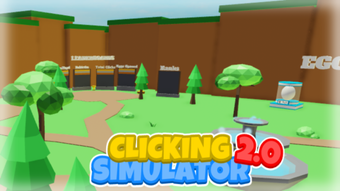
Description
Clicking Simulator 2.0 for Roblox
Overview
Clicking Simulator 2.0 is a free desktop utility designed for Roblox players seeking to enhance their experience in the popular clicker game genre. Developed by PoverDev, this software operates as a tool to assist with gameplay mechanics, particularly for users who enjoy repetitive clicking mechanics in Roblox-based games. The application is categorized under Utilities, indicating its role as a support program rather than a standalone game. While the developer has not provided extensive background details, the software's presence on platforms like Softonic suggests a community-driven distribution model.
The primary purpose of Clicking Simulator 2.0 is to automate or simulate clicking actions within Roblox environments. This functionality may appeal to users who want to streamline gameplay, especially in games where continuous clicking is required to generate resources or progress. The target audience includes casual Roblox players, automation enthusiasts, and individuals interested in clicker-style games. Although specific real-world usage scenarios are not detailed, the software likely supports gameplay efficiency in titles where manual clicking becomes tedious over time.
As of the release date, August 2, 2022, the software remains available in multiple languages, including Spanish, Italian, and Portuguese, reflecting an effort to reach a broader international audience. Despite the absence of performance benchmarks or detailed system requirements, the application’s lightweight size of 10.4 MB suggests it is designed for low-resource environments. The current version is listed as 0, which may indicate an early or developmental release state.
Key Features & Capabilities
- Click Automation – The software enables automated clicking within Roblox games, reducing the need for constant manual input. This feature is particularly useful in games where clicking is a core mechanic for earning in-game currency or progressing through levels.
- Multi-Language Support – Available in Spanish, Italian, and Portuguese, making it accessible to a wider range of non-English-speaking users. This localization effort supports international accessibility.
- Lightweight Design – At 10.4 MB, the application is compact, suggesting minimal impact on system resources and fast installation times. This makes it suitable for users with older or low-spec devices.
- Roblox Integration – Designed specifically for use with Roblox games, particularly those involving clicker mechanics. It operates as a desktop utility that interfaces with the Roblox platform.
- Free Access – The software is available at no cost, removing financial barriers to entry and allowing broad user adoption.
These features collectively aim to improve user efficiency and reduce physical strain during prolonged gameplay. For example, a player engaging in a clicker game with a 10-minute session might use the tool to maintain consistent clicks without manual effort. Similarly, users managing multiple game accounts or testing game mechanics could benefit from automated input simulation. The software does not claim to offer advanced customization, but its straightforward functionality targets a niche audience seeking simplicity and accessibility.
User Interface, Workflow & Performance
The user interface of Clicking Simulator 2.0 is not described in detail, but based on its classification as a utility and its lightweight footprint, it likely features a minimalistic design focused on core functionality. Navigation is expected to be straightforward, with essential controls such as start, stop, and settings accessible through a simple dashboard. The workflow appears optimized for quick activation and immediate use, aligning with the software’s purpose as a no-frills tool.
Given the absence of performance data, general observations about efficiency are based on typical behavior of similar desktop utilities. The application is expected to operate in the background with low CPU and RAM usage, especially considering its 10.4 MB file size. However, exact resource consumption details were not provided by the developer. Stability during extended use remains unverified, and there is no information on crash rates or error handling.
Performance may vary depending on the user’s system configuration and the Roblox game being used. Some users might experience delays in input response or synchronization issues if the software does not fully integrate with the game’s event handling. The developer did not specify whether the tool runs independently or requires a companion browser or launcher. Overall, the software’s design prioritizes accessibility and ease of use over advanced technical capabilities.
Compatibility & System Requirements
Clicking Simulator 2.0 is compatible with both Windows and Mac operating systems, making it accessible to a wide range of desktop users. The software’s file size is 10.4 MB, indicating a lightweight installation that should not strain storage space on most devices. However, exact system requirements such as minimum RAM, processor speed, or specific OS versions were not listed by the developer.
Platform compatibility information is limited, and there is no indication of whether the software supports older versions of Windows or macOS. The absence of detailed specifications means users should proceed with caution when installing on low-end or outdated hardware. The current version is labeled as 0, which may suggest it is in an early development stage or lacks formal versioning.
Installation is expected to be straightforward, given the small file size and lack of complex dependencies. However, users should ensure their system meets the baseline requirements for running Roblox, as the utility relies on the game’s environment to function. The developer did not provide information on whether the software requires administrator privileges or specific runtime environments.
Pros and Cons
Pros
- Free to use with no hidden costs
- Lightweight at only 10.4 MB
- Available in multiple languages: Spanish, Italian, and Portuguese
- Designed specifically for Roblox clicker games
- Simple interface and workflow for quick setup
Cons
- Exact system requirements were not specified
- Version number is listed as 0, which may indicate instability
- No official documentation or support channels provided
- Performance and stability details are unverified
- Compatibility with all Roblox games is not confirmed
FAQ Section
Is Clicking Simulator 2.0 compatible with all Roblox games?
The software is designed for Roblox clicker games, but compatibility with specific titles is not confirmed. Users should test the tool in their target game environment.
Is the software safe to use with Roblox?
While the tool is free and available on Softonic, there is no official verification of its security. Users should exercise caution and avoid using it on accounts with valuable in-game assets.
How often are updates released?
There is no information available on update frequency. The current version is listed as 0, which may indicate limited or irregular maintenance.
Does Clicking Simulator 2.0 require an internet connection?
As a desktop utility, it likely requires an active internet connection to function with Roblox, which operates online. However, the software’s specific connectivity needs were not detailed.
Can I use this tool offline?
Offline usage is unlikely, as the software relies on interaction with the Roblox platform. Without an active connection, the tool would not be able to simulate clicks within the game environment.
Final Thoughts + CTA
Clicking Simulator 2.0 offers a straightforward, free solution for Roblox players interested in automating clicking mechanics within clicker-style games. Its lightweight design, multi-language support, and direct integration with Roblox make it a practical choice for users seeking efficiency. While the lack of detailed system requirements, version clarity, and performance data limits confidence in long-term reliability, the software remains accessible and easy to deploy.
It is best suited for casual users who want to reduce manual effort in repetitive gameplay scenarios. However, users should remain cautious, especially regarding account security and potential violations of Roblox’s terms of service. For those looking for a no-cost, simple automation tool with minimal setup, Clicking Simulator 2.0 presents a viable option.
Download Clicking Simulator 2.0 now to experience automated gameplay in your favorite Roblox clicker games.
Guides & Tutorials for Clicking Simulator 2 0
How to install Clicking Simulator 2 0
- Click the Preview / Download button above.
- Once redirected, accept the terms and click Install.
- Wait for the Clicking Simulator 2 0 download to finish on your device.
How to use Clicking Simulator 2 0
This software is primarily used for its core features described above. Open the app after installation to explore its capabilities.
User Reviews for Clicking Simulator 2 0 0
No reviews found





